





Scikit-Learn (Part 2)
The full Pipeline workflow: how to automate your ML like a pro
In Part 1 we covered the three pillars of Scikit-Learn:
- Estimators
- Transformers
- Predictors
They work, sure. But writing them by hand is fragile, repetitive and error-prone. And the moment your pipeline grows to 5, 8 or 12 steps… it becomes flat-out unmanageable.
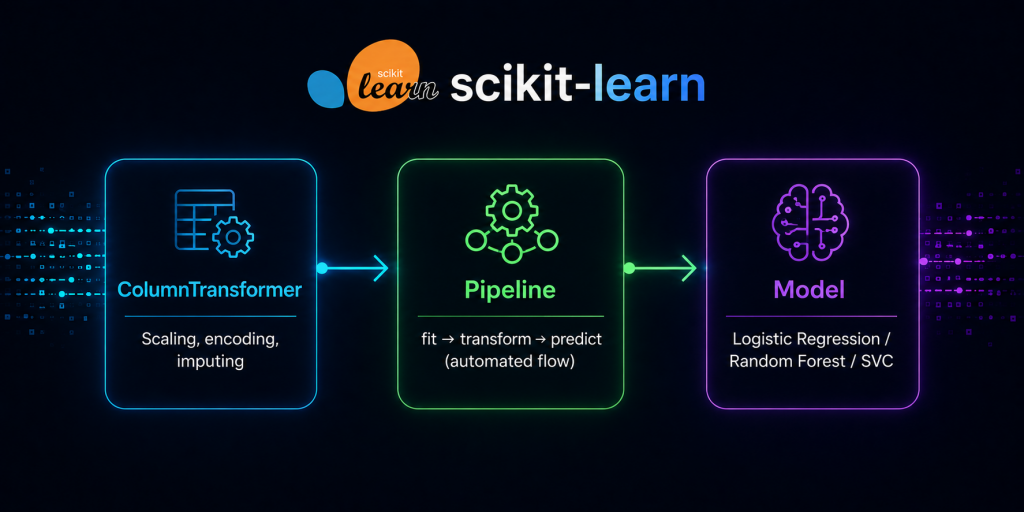
That’s why Scikit-Learn ships one of the most elegant ideas in its entire API:
The Pipeline.
A single object that:
- chains steps together
- prevents leakage
- keeps train and test consistent
- makes validation easy
- enables hyperparameter automation
- and leaves you with a system ready for production
Today you’re going to build a real one. Not the typical two-line example you see in every tutorial.
Let’s go step by step.
What problem does a Pipeline solve?
Picture this manual flow:
scaler = StandardScaler()
pca = PCA(n_components=5)
model = LogisticRegression()

scaler.fit(X_train)
X_train_scaled = scaler.transform(X_train)
X_test_scaled = scaler.transform(X_test)

pca.fit(X_train_scaled)
X_train_pca = pca.transform(X_train_scaled)
X_test_pca = pca.transform(X_test_scaled)

model.fit(X_train_pca, y_train)
y_pred = model.predict(X_test_pca)
It works. But it has serious problems:
- If you change a step, you touch 6 lines.
- If you add a step, you have to remember to apply it on train and test.
- If you want cross-validation, you rewrite half the script.
- If you want GridSearch, you nest functions by hand.
- And one misplaced
.fit_transform()→ silent data leakage.
A Pipeline wipes all of that out in one shot.
What is a Pipeline?
A Pipeline is a composite Estimator.
That means:
- it has
.fit() - it has
.predict() - and internally it runs every step in the right order
from sklearn.pipeline import Pipeline

pipeline = Pipeline([
    ('scaler', StandardScaler()),
    ('pca', PCA(n_components=5)),
    ('model', LogisticRegression())
])
Now your whole flow is a single object:
pipeline.fit(X_train, y_train)
y_pred = pipeline.predict(X_test)
And Scikit-Learn takes care of:
- calling
.fit()only where it should - calling
.transform()on every intermediate step - passing the data from one step to the next
- keeping the order
- avoiding leakage
You don’t write any of that. The library handles it.
The golden rule of the Pipeline
In a Pipeline:
- Every step except the last must be a Transformer.
- The last step must be a Predictor.
Valid example:
Scaler → PCA → LogisticRegression
Invalid example:
Scaler → LogisticRegression → PCA
Why? Because a Predictor doesn’t have.transform(), so it can’t pass data to the next step. The last link is always the one that decides.
How it works under the hood
When you call:
pipeline.fit(X_train, y_train)Scikit-Learn runs internally:
scaler.fit(X_train)X1 = scaler.transform(X_train)pca.fit(X1)X2 = pca.transform(X1)model.fit(X2, y_train)
And when you call:
pipeline.predict(X_test)It runs:
X1 = scaler.transform(X_test)X2 = pca.transform(X1)model.predict(X2)
Without you writing a single extra line. And with no chance of getting the order wrong.
ColumnTransformer: the secret weapon
In real projects, columns don’t all get the same treatment:
- some need scaling
- others need one-hot encoding
- others need imputation for missing values
- and some are left as-is
That’s exactly whatColumnTransformeris for.
from sklearn.compose import ColumnTransformer
from sklearn.preprocessing import StandardScaler, OneHotEncoder

preprocess = ColumnTransformer([
    ('num', StandardScaler(), ['age', 'salary']),
    ('cat', OneHotEncoder(), ['city', 'gender'])
])
And you drop it into the Pipeline as just another step:
pipeline = Pipeline([
    ('prep', preprocess),
    ('model', LogisticRegression())
])
Now your pipeline, in a single object:
- scales the numerical features
- encodes the categorical ones
- trains the model
- and stays ready to predict on new data with the exact same treatment
This is what separates a toy notebook from a real pipeline.
Cross-validation with Pipelines (the right way)
Before, when you did:
from sklearn.model_selection import cross_val_score
cross_val_score(model, X, y, cv=5)
you were validating the model, but not the preprocessing. And if you scaled withfit_transformover the entireXbeforehand, leakage already happened the moment you did it.
With a Pipeline the problem disappears:
cross_val_score(pipeline, X, y, cv=5)Now, on every fold, Scikit-Learn:
- refits the scaler only on the fold’s training data
- refits the PCA only on the fold’s training data
- refits the model only on the fold’s training data
- evaluates on the fold’s validation set
Honest validation. No leakage. No pain.
GridSearchCV with Pipelines
This is where Pipelines really shine.
from sklearn.model_selection import GridSearchCV

params = {
    'prep__num__with_mean': [True, False],
    'model__C': [0.1, 1, 10]
}

grid = GridSearchCV(pipeline, params, cv=5)
grid.fit(X, y)
The syntaxprep__num__with_meanreads like this:
pipeline → step 'prep' → block 'num' → parameter 'with_mean'
Double underscores (__) mean «drill down one level». With this you can tune any parameter of any step, preprocessing included, all in a single call.
And the best part: every combination is evaluated with honest cross-validation, because the refitting happens inside each fold.
Pipeline ready for production
Once it’s trained, you save it:
import joblib
joblib.dump(pipeline, 'model.pkl')
And in production all you need is:
pipeline = joblib.load('model.pkl')
pipeline.predict(new_data)
No need to worry about:
- scaling
- encoding
- step order
- consistency between training and production
Everything lives inside the Pipeline. That’s exactly the point: what you deploy is not a model, it’s the entire workflow.
Common mistakes (and how to avoid them)
❌ Mistake 1: Calling.fit()outside the Pipeline
scaler.fit(X_train)The moment you do this on your own, you’ve broken the whole idea of the Pipeline. Let the object handle it.
❌ Mistake 2: Mixing.fit_transform()with Pipelines
Never mix manual flows with Pipelines. Either everything is inside, or everything is outside. Anything else is just begging for leakage.
❌ Mistake 3: Processing columns by hand instead of usingColumnTransformer
If you split numerical and categorical features with manual slicing, you lose modularity and reproducibility. And one day you’ll pay for it.
❌ Mistake 4: Running GridSearch without a Pipeline
If preprocessing lives outside the object you’re validating, leakage is almost guaranteed. The rule is simple: anything learned from the data goes inside the Pipeline.
Final example: a complete, real-world Pipeline
from sklearn.compose import ColumnTransformer
from sklearn.preprocessing import StandardScaler, OneHotEncoder
from sklearn.pipeline import Pipeline
from sklearn.linear_model import LogisticRegression

preprocess = ColumnTransformer([
    ('num', StandardScaler(), ['age', 'salary']),
    ('cat', OneHotEncoder(handle_unknown='ignore'), ['city', 'gender'])
])

pipeline = Pipeline([
    ('prep', preprocess),
    ('model', LogisticRegression())
])

pipeline.fit(X_train, y_train)
y_pred = pipeline.predict(X_test)
This is production-grade. Modular, validatable, serializable, and leakage-free. Exactly what we’ve been working toward since Part 1.
TL;DR
- A Pipeline chains steps together and prevents leakage automatically.
- Every step except the last must be a Transformer; the last one must be a Predictor.
ColumnTransformerlets you apply different transformations to different columns.- Cross-validation and GridSearch only work properly when preprocessing lives inside the Pipeline.
- A Pipeline is the object you save with
jobliband deploy to production. - Once you really understand the Pipeline, you stop writing «ML scripts» and start building ML systems.